H2R 202 · DATA STRUCTURE
What is an MDF Object in SAP SuccessFactors?
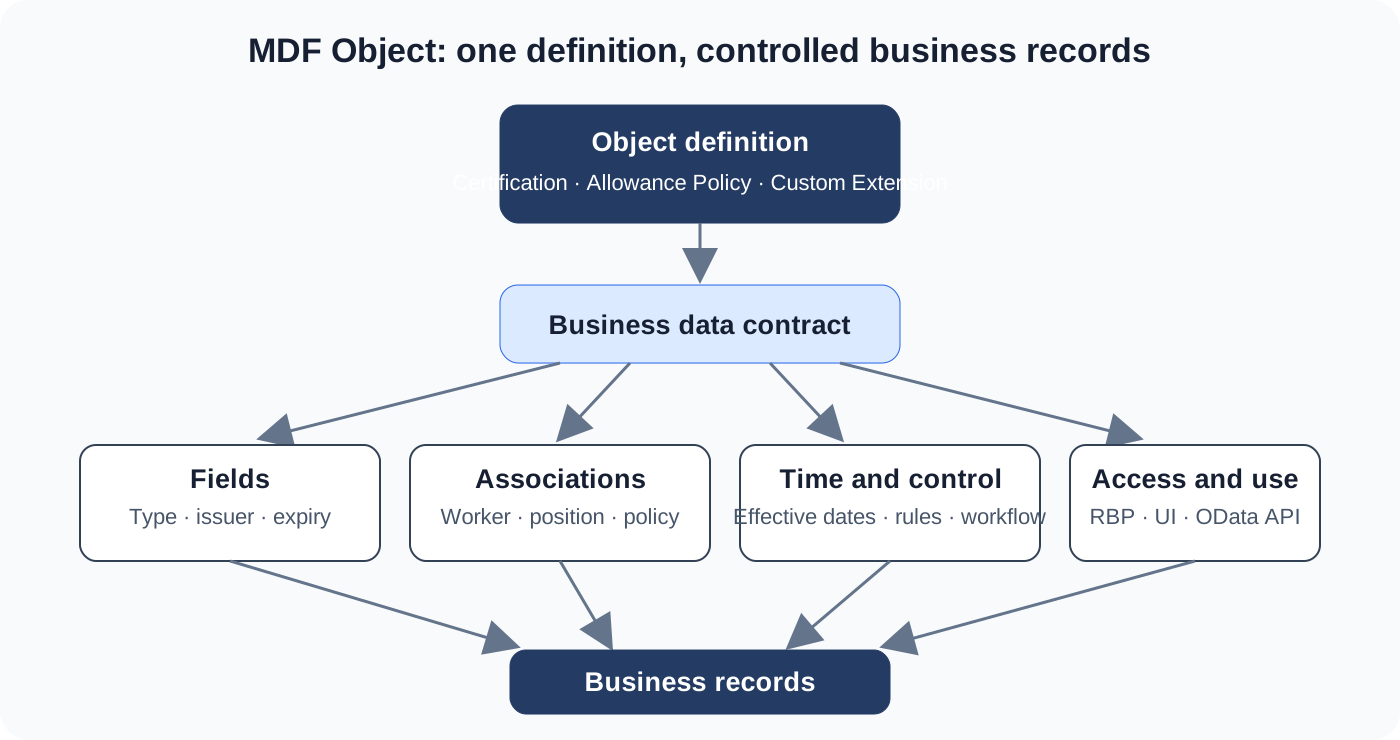
An MDF Object is a reusable business-data model. It defines what a business thing is, how its records behave, who may use them, and how the data connects to the H2R lifecycle.
THE CLEAN MENTAL MODEL
One object definition, many business records
The definition is the blueprint. The records are its real instances. A Certification object can define certificate type, issuer, expiry date, status, and worker association; each employee certificate is then a separate record following that blueprint.
OBJECT ANATOMY
Read an MDF Object in six layers
Start with the business entity—not with a screen—and make each layer explainable.
- 01
Object definition — What business entity exists?
Name a stable entity such as certification, allowance policy, mentoring programme, or equipment entitlement. Use SAP-delivered objects where they fit; create a custom Generic Object only for a genuine extension.
- 02
Fields — What facts describe the entity?
Define identifiers, labels, data types, valid values, required values, and attachments. A field should answer one business question and not duplicate another system's owner.
- 03
Associations — What is it related to?
Model its links to workers, positions, policies, or other records. Decide cardinality deliberately and know which object owns the relationship.
- 04
Effective dating — When is the record true?
Use a dated model when historical or future state matters. A payroll, eligibility, or organisational decision should remain explainable on the date it was used.
- 05
Rules, workflow, and permissions — What may happen?
Business rules validate or derive values; workflow routes proposed change; role-based permissions control view and maintenance access.
- 06
UI and API — Where can the data appear?
The model can be exposed through administrative UI, supported profile blocks, workflow, import, and OData integration. Presentation follows the data model.
Controls the contract
Fields, associations, security, rules, workflow, and configuration determine the permitted shape of every record.
Holds one business fact
A worker’s certificate, policy, or entitlement record holds values that conform to that contract.
Choose the correct home
MDF Foundation Objects hold shared organisational data. Custom Generic Objects extend a real gap; they do not recreate standard HR, payroll, or time functions.
A regulated warehouse role needs a safety certificate. The object has certificate type, issuer, issue and expiry dates, evidence attachment, status, and an association to the worker. A rule blocks an expiry date before the issue date; workflow routes manager confirmation; permissions restrict evidence to HR and safety roles. It can feed profile views and a controlled integration export. It should not replace SAP Learning, Time, or a full compliance product when those own the requirement.
DIAGNOSE WITH EVIDENCE
Read the model before changing the UI
Is the field or association defined?
Check the object definition, data type, effective-dating choice, and association target.
Is a rule, workflow, or permission changing the result?
Check business-rule conditions, workflow derivation, RBP, and the record’s effective date.
Is the record available to UI or API?
Check UI configuration, profile block, API entity and key, filter, integration timing, and error log.
BOUNDARY
MDF is extensibility, not a blank cheque
MDF supports configurable extensions and works with permissions, rules, OData, and UI. It is not the right place for a full clock-in/out product or high-volume historical payroll data.
OFFICIAL SAP REFERENCES